What Is a TikTok Photo Post or Carousel
TikTok has two main types of posts — videos and photo posts. A photo post (also called a carousel or slideshow) is a series of still images that a creator uploads together in a single post. When you open one in your TikTok feed, you can swipe left to move through each image manually.
Photo posts are popular for fashion lookbooks, recipe steps, travel photos, home design inspiration, and quote collections. It is worth knowing the difference between a photo carousel and a video slideshow. Both look similar in the feed, but a photo carousel contains individual still image files — each one a separate JPEG. A video slideshow is a single video file that cuts between images. TikRapid handles both, but the download options will look different. This guide focuses on true photo carousels where individual images can be saved.
Why TikTok Adds a Watermark When You Save Photos Through the App
When you tap Save on a TikTok photo post using the built-in save button, TikTok does not give you the original image file. Instead it stamps the TikTok logo in one corner and overlays the creator's username before saving to your device. This is TikTok's way of keeping its branding visible whenever content is shared outside the platform.
For most casual use this does not matter. But if you want to save an image for a mood board, reference folder, design project, or personal archive, the watermark gets in the way. A TikTok photo downloader gives you the original image without any overlay.
- TikTok logo stamped on image
- Creator username overlaid
- Save one image at a time
- Watermark cannot be removed cleanly
- No logo, no username overlay
- Clean full resolution JPEG
- All carousel images from one link
- Save to any folder on any device
How to Save TikTok Photos Without Watermark Using TikRapid
The process takes under thirty seconds and works the same way on all devices. No account, no app download, no extensions required.
-
Find the TikTok photo post you want to save
Open TikTok and go to the photo carousel you want. Make sure it is a photo post — you should be able to swipe through individual images. Video posts show a video player instead.
-
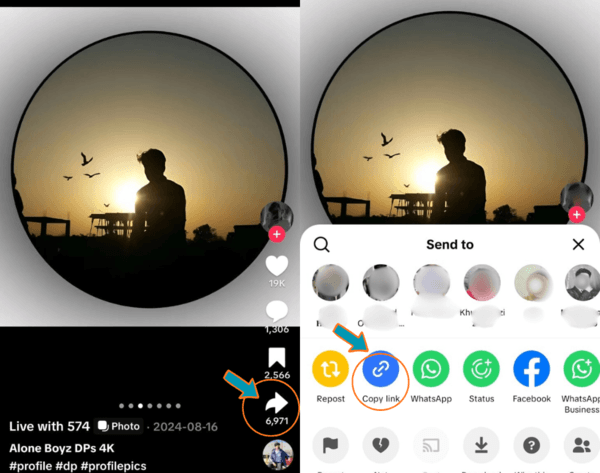
Tap Share and copy the link
On the right side of the post tap the Share arrow icon. Scroll through the options and tap Copy Link. The post URL is now on your clipboard. On desktop, copy the URL directly from the browser address bar.
-
Open TikRapid and paste the link
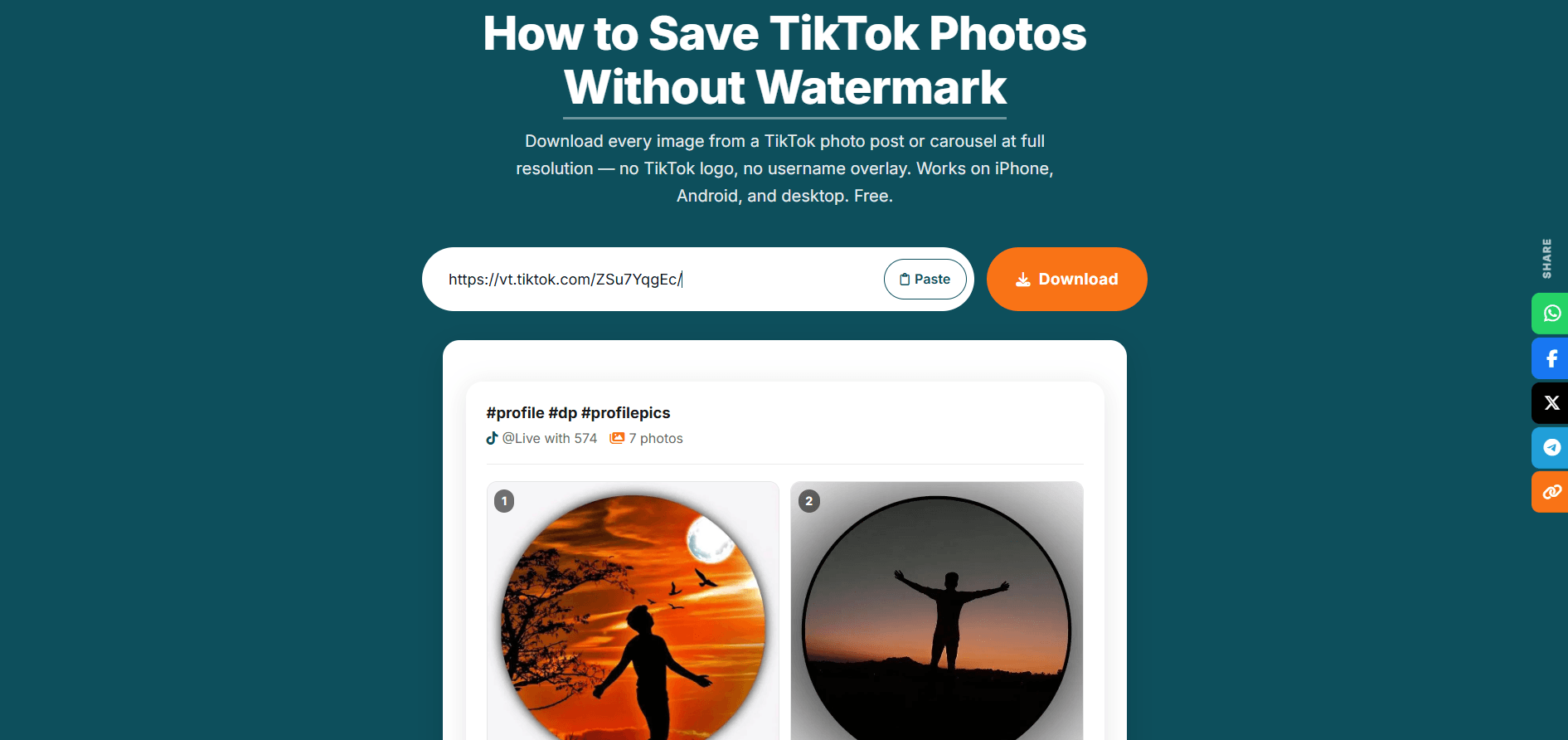
Go to tikrapid.com in your browser and tap the Paste button inside the download field — the link fills automatically from your clipboard.
-
Tap Download Photos
Press Download Photos. TikRapid loads the post and displays every image in the carousel individually on screen within a few seconds.
-
Save the images you want
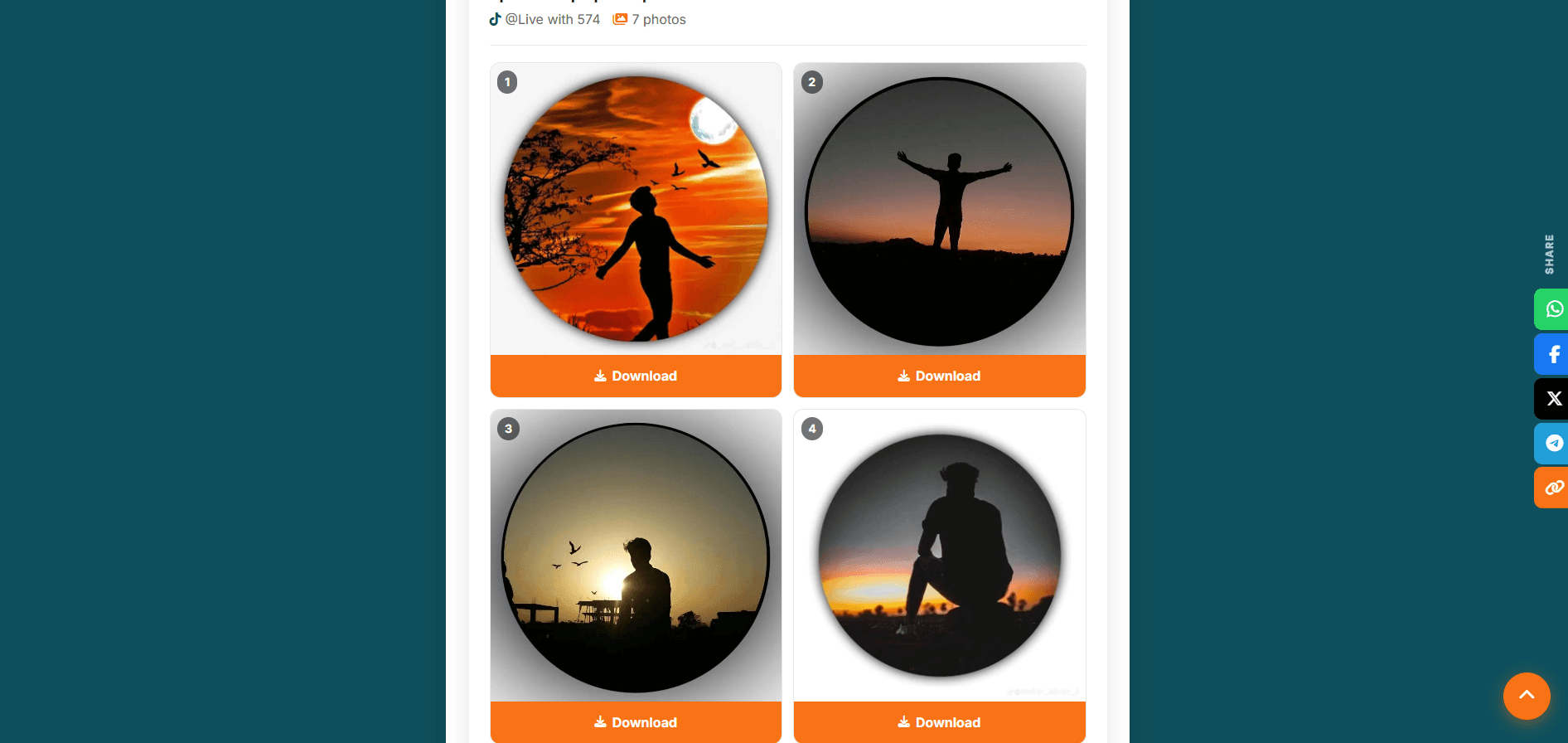
A grid of every photo in the post appears. Each image has its own Download button. Tap Download next to each photo you want — save all or only specific ones. Files save to your device with no watermark.
How to Save TikTok Carousel Photos on iPhone, Android, and PC
The steps are the same across all platforms. The only difference is where downloaded images are stored after saving.
- Open TikTok and find the photo carousel. Tap Share then Copy Link.
- Open Chrome, Firefox, or Samsung Internet — go to tikrapid.com.
- Tap Paste → Download Photos.
- Tap Download under each photo you want.
- Images save to your Downloads folder. Open Gallery or Files app to find them.
- Open TikTok, find the photo carousel. Tap Share then Copy Link.
- Open Safari — go to tikrapid.com.
- Tap Paste → Download Photos.
- Tap Download next to each photo. Safari opens a preview.
- Press and hold the image preview, then tap Save to Photos.
- Repeat for each image in the carousel you want to keep.
- Open tiktok.com and navigate to the photo post you want.
- Copy the URL from the browser address bar.
- Open a new tab, go to tikrapid.com, paste the URL, and press Download Photos.
- Click Download under each image. Your browser's download dialog appears.
- Images save to your Downloads folder on Windows or Mac.
What Quality and Format Are the Downloaded TikTok Photos
TikRapid downloads photos at the highest resolution available for that post — the full quality image, not a compressed preview or a screenshot of what appears on your screen.
TikTok stores photo post images as JPEG files. Portrait-oriented photos are typically stored at 1080 × 1920 pixels. The quality you receive reflects what the creator originally uploaded. TikRapid does not apply any compression or resizing during the download process.
Screenshotting is always worse than downloading. A screenshot only captures the resolution of your device screen — lower than the actual image resolution for most photos. It also captures UI elements in the frame. Downloading gives you the actual JPEG file at its original dimensions.
Ready to save your TikTok photos?
Use the tool at the top of this page or open the full photo downloader.
What You Should Know Before Saving TikTok Images
TikRapid works with all publicly visible TikTok photo posts. Here is a clear breakdown of what works and what does not.
- Private accounts cannot be accessed. If the creator's account is set to private, TikTok restricts access at the platform level. TikRapid will return an error for private posts.
- Deleted posts cannot be recovered. If a creator has removed a post or it has been taken down, the content no longer exists. Deleted posts return an error regardless of the tool used.
- Background audio is not included. Photo carousel posts often play music. TikRapid downloads the image files only — not the soundtrack.
- All public photo posts and carousels work. Any publicly visible TikTok photo post downloads correctly. No daily limit, no account required.
- No limit on how many photos you save. TikRapid is completely free with no download caps. Save as many posts as you need.